Creating from photos
Can one photo include siblings and pets in a personalized storybook?
Decide whether one family photo can cover siblings, a parent, and a pet as illustrated characters, or when you need a second photo.
The short answer
Yes. One family photo can cover more than one character—siblings, a parent, and a dog or cat—when each intended person or pet is separately recognizable. You do not need a separate photo for every character if faces and the animal stay visible and unobstructed. Choose who belongs in the story after the photo is uploaded. Add another photo only when someone is hidden, overlapping, or a pet the product does not illustrate.
Key takeaways
- One family photo can cover siblings, a parent, and a dog or cat when each intended character is separately recognizable.
- You do not need a separate photo per person if faces and the pet stay visible and unobstructed.
- Choose who belongs in the story after upload; detection proposes people and pets, and you confirm the cast.
- Add another photo only when someone is hidden, overlapping, missing from the frame, or a pet the product does not illustrate.
- This is a cast-coverage decision, not a photo-quality checklist and not a pet-readiness test.
Can one family photo cover siblings, a parent, and a pet?
Yes, when each intended person or pet is recognizable on their own. You do not need a separate photo for every sibling, parent, or dog or cat if the single frame already shows them clearly.
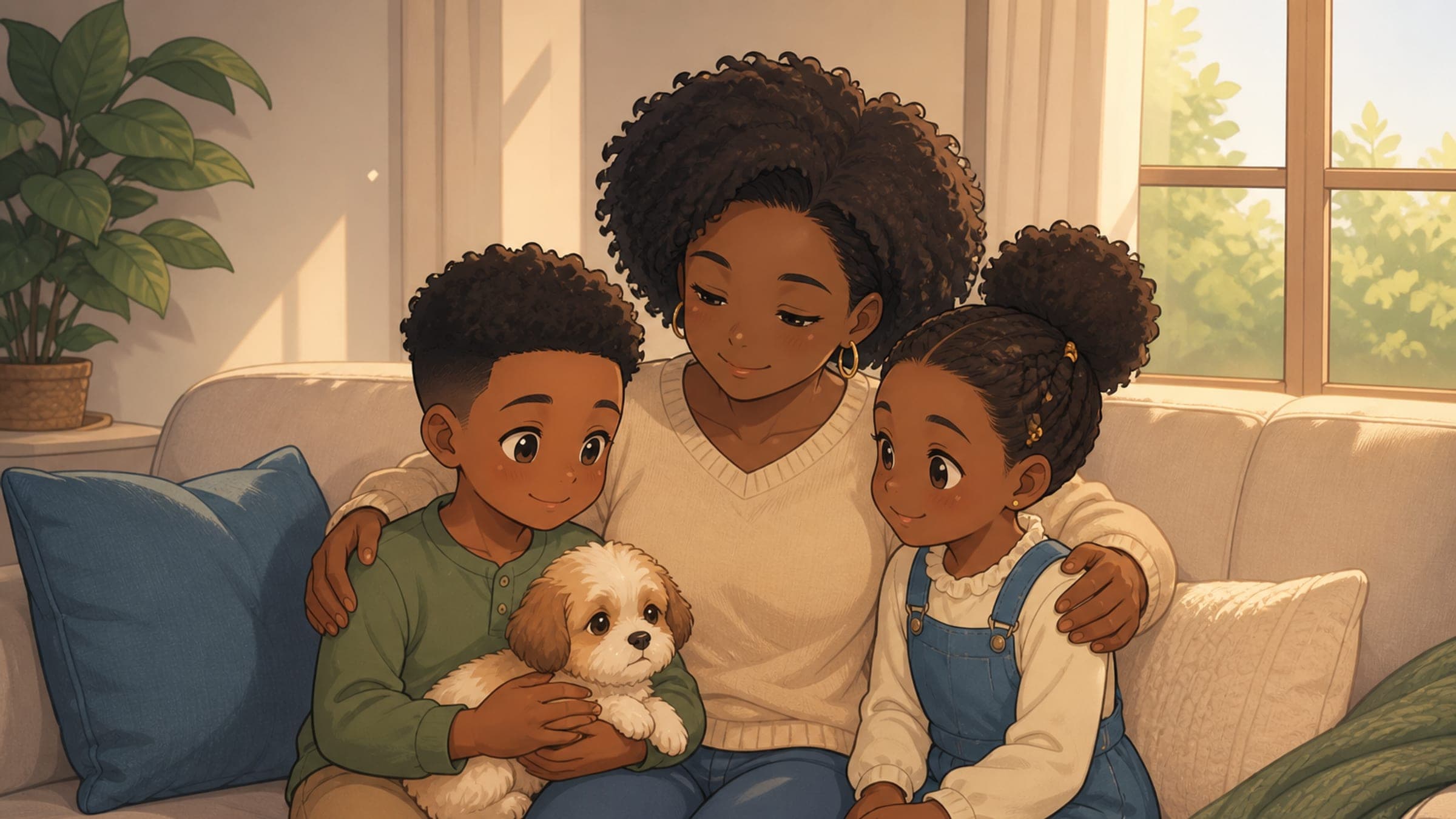
Storybook Studio is built to begin from one photo. After upload, the product looks for people and pets in that image. You then choose who becomes a character—up to five—and approve the likeness before illustration continues. A living-room snapshot of two siblings and a parent, or a backyard photo of a child holding a dog, can be enough if every selected face and the animal stay visible.
That is a different job from asking how many photos you need in general. The photo-count and quality guide covers blur, lighting, and distance. This page answers only whether one already-usable family photo can cover more than one character.
Households often include both people and animals. The American Veterinary Medical Association asks owners to think about current household members—both people and pets—when deciding who shares a home. The American Academy of Pediatrics likewise treats a cat or dog as a member of the family. Those statements support including a pet in a family likeness story when the animal is part of the household. They do not require a pet in every book, and they do not mean every species can be illustrated.
Storybook Studio currently turns dogs and cats into pet characters. A hamster, bird, fish, or other animal in the same photo will not become a supported likeness. Leave that animal out of the cast, or use a different keepsake.
This page is a photo-cast decision guide. It does not diagnose a child’s readiness for a pet, and it does not replace a veterinarian or pediatrician.
When is a group photo enough for more than one character?
A group photo is enough when you can point to each intended person or pet and another adult would recognize them from that frame.
| What the photo shows | One photo enough? | What to do |
|---|---|---|
| Two siblings and a parent, faces separate and in focus | Yes | Select those people; leave anyone extra out of the cast |
| A child holding a dog or cat, face and animal both fully visible | Yes | Select the child and the pet; confirm the animal looks like itself |
| A parent, two kids, and a dog on a sofa, no overlapping heads | Yes, if you want four or fewer of them | Choose up to five characters from that frame |
| One child clear, a sibling half-hidden behind a shoulder | Not for the hidden sibling | Keep this photo for the visible child; add a second photo for the sibling |
| A pet only as a blur, tail, or distant shape | Not for the pet | Use this photo for the people; add a clearer dog or cat photo |
| A rabbit, bird, or other unsupported animal with the kids | Not for that animal | Select the people only |
The useful test is recognition, not album size. If another person could name each selected sibling and see that the dog is this dog, the photo can cover that cast. If two faces overlap, a baby is pressed into a shoulder, or the cat is a dark smudge on the rug, that subject still needs another reference.
Detection proposes people and pets; it cannot know your intent. A photographer, neighbor, or background dog may appear in the frame without belonging in the book. Confirm the cast before any paid character art begins. The photo-to-character process explains that selection step in more detail.
A group photo is also not a plot. Once the likenesses are approved, the story can leave the sofa or backyard. Use the family-photo-to-story guide when the next question is how to turn the moment into a short beginning, obstacle, and change.
When do you still need a second photo?
Add a second photo for a specific person or pet who is not usable in the first frame. Do not start a new album “just in case.”
Choose another image when:
- A sibling’s face is hidden, turned fully away, or cropped through the hairline, chin, or glasses.
- Two heads overlap so neither person can be selected cleanly.
- The dog or cat is mostly off-frame, backlit into silhouette, or too small to recognize.
- You want a parent or grandparent who is not in this picture at all.
- The only animal in the photo is not a dog or cat.
- You already selected five people and pets and still need one more character.
Five is a product limit, not a family-size judgment. If six people matter, pick the five who belong in this story and leave the sixth for another book.
Photo quality—blur, heavy shadow, a screenshot of a compressed post—is a separate question. If the whole image is weak, start with the how-many-photos guide instead of adding a second muddy frame.
How should you choose who belongs in the book?
Decide the cast before you fall in love with a plot. The photo supplies identities; you decide who the story is about.
- Name the intended cast. List the siblings, parent, and pet who should appear. Leave out the photographer, a visiting cousin, or a neighbor’s dog unless they belong in this book.
- Check each subject in the frame. Can you see each face? Can you see the dog or cat as itself, not as a blur? If one person fails that test, plan a second photo for that person only.
- Upload one clear photo. Storybook Studio starts from a single photo, finds people and pets, and lets you choose up to five characters. Review the likeness before you complete the $15 digital book. Softcover plus digital is $35; hardcover plus digital is $45. There is no subscription.
- Approve who is in, and who is out. Select the intended people and the dog or cat. Skip anyone the story does not need. Photos are not sold and are not used to train Storybook Studio’s own models.
- Keep the story small. Everyday family moments are easier to recognize than a tour of the whole household. The Journal’s everyday family-moment pillar is the next stop once the cast fits one photo.
Print stays optional after you approve the digital book, and printed copies ship to the United States, Canada, and Australia. You can start free, review the opening, and decide later whether a printed copy is worth it.
More related guidance:
- Gaining Stepsiblings? A Story That Turns a Bigger Family Into a Team
- A Grandparent Is Moving In: A Story About Changing Routines
- Two Moms or Two Dads: A Story About Their Family
- Joining a Foster Family? A Gentle Story for the First Days
- Personalized Story Ideas Hidden in Everyday Family Moments